Gift cards are a widely used payment method that allows customers to store value and make purchases conveniently. In Microsoft Dynamics 365 Commerce, businesses can issue, redeem, and manage gift cards within the POS system. However, in some cases, customers may request a cash-out of their remaining gift card balance instead of using it for purchases.
Why is Gift Card Cash-Out Important?
- Legal Obligations
- Many countries and regions legally require businesses to allow gift card cash-outs when the balance falls below a certain threshold. Compliance with these regulations helps businesses avoid penalties.
- Enhanced Customer Experience
- Allowing customers to cash out small remaining balances improves satisfaction and builds trust, ensuring a seamless shopping experience.
- Prevents Lost or Unused Balances
- Customers often leave gift cards with small leftover amounts. Offering a cash-out option ensures they can recover their money rather than leaving it unused.
- Boosts Brand Reputation
- Providing flexible options, including cash-out, reinforces a customer-centric approach, leading to increased loyalty and positive feedback.
How to Configure Gift Card Cash-Out in D365 Commerce
Step 1: Set the Gift Card Cash-Out Threshold
The gift card cash-out threshold determines the maximum balance a gift card can hold for it to be eligible for cash-out.
To configure this threshold:
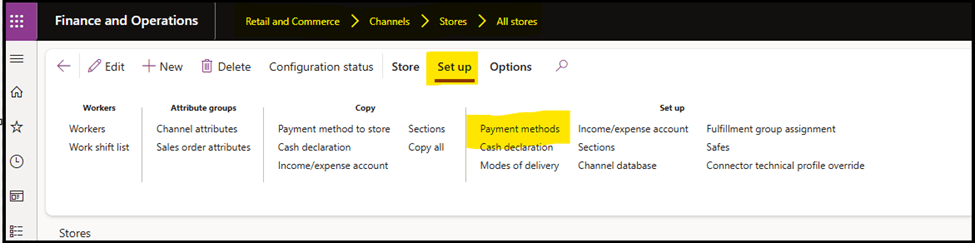
- Navigate to Retail and Commerce → Channels → Stores → All Stores.
- Go to Retail Store Setup → Payment Methods.
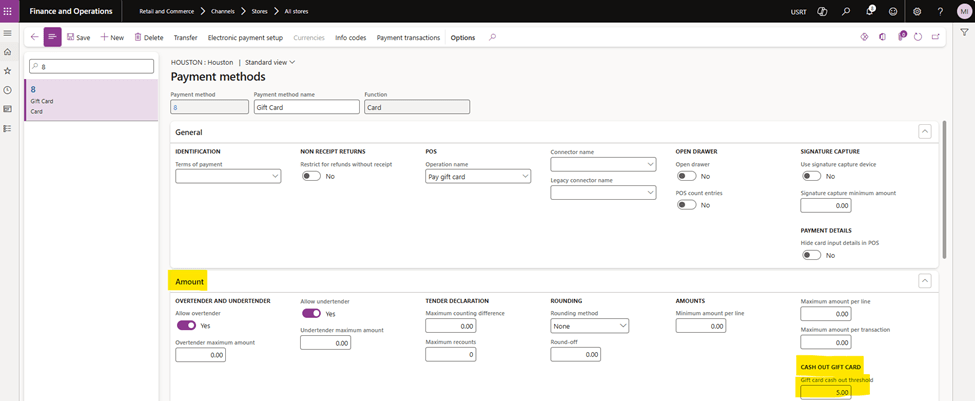
- In the Gift Card payment method settings, locate the Amount FastTab.
- Set the threshold amount for gift card cash-out.
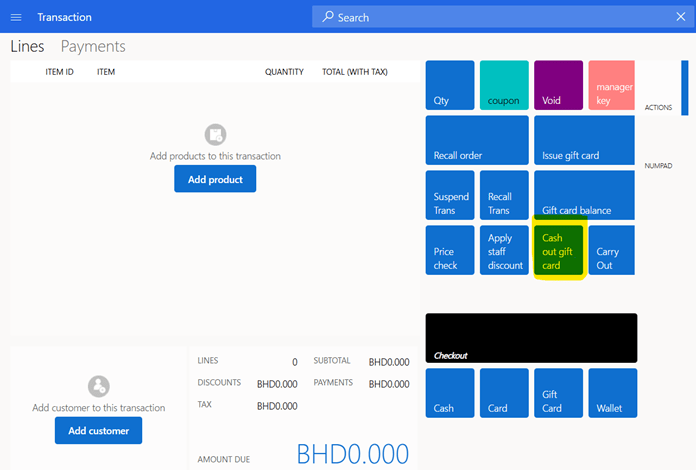
Step 2: Add the “Cash Out Gift Card” Operation to the POS Screen Layout
For cashiers to process gift card cash-outs, the “Cash Out Gift Card” operation must be added to the POS screen layout.

Run Distribution Schedules 1090 and 1070 to sync the updates with the POS system.
Processing a Gift Card Cash-Out at POS
Scenario 1: Cashing Out an Eligible Gift Card
- Press the “Cash Out Gift Card” button on the POS.
- Scan/Swip or manually enter the gift card number.
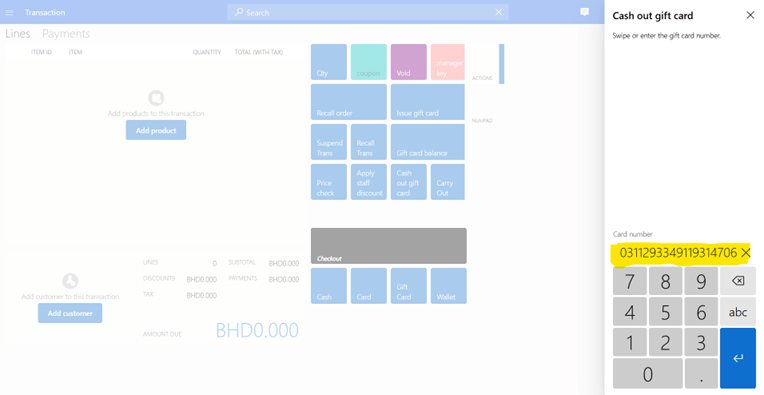
- The system validates whether the remaining balance on the gift card meets the configured cash-out threshold.
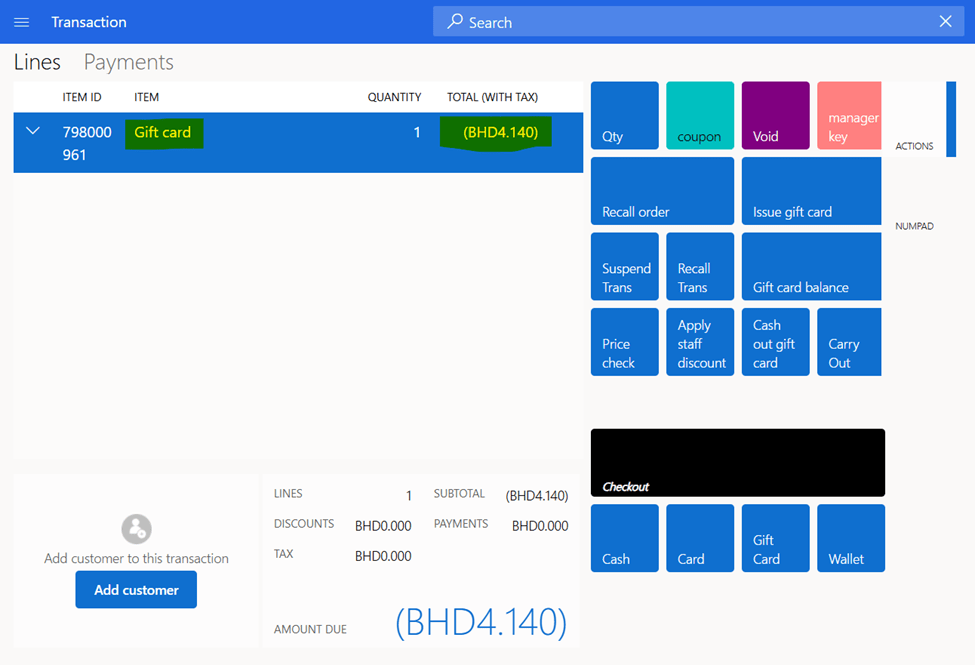
- If the balance is within the threshold, the system:
- Adds a new sale transaction line with the gift card item number.
- Specifies the amount to be refunded to the customer.
Scenario 2: Attempting to Cash Out an Ineligible Gift Card
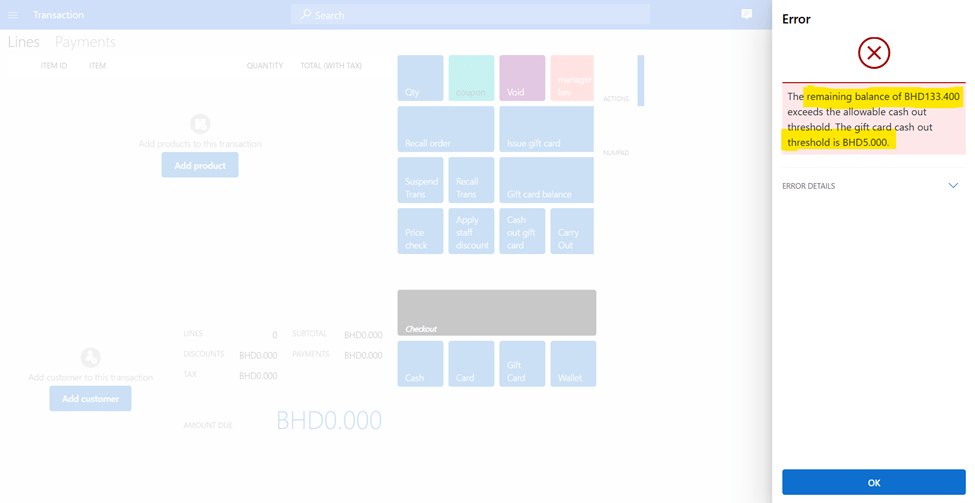
- If the gift card balance exceeds the cash-out threshold, the system will:
- Display an error message showing the gift card balance and the cash-out threshold.
- Prevent the transaction from being completed.
Conclusion
Implementing the gift card cash-out feature in D365 Commerce enhances customer satisfaction and ensures smooth financial operations. By following these steps, businesses can efficiently configure and manage gift card cash-outs within their D365 POS.

 DynamicsSparks
Leave a comment